
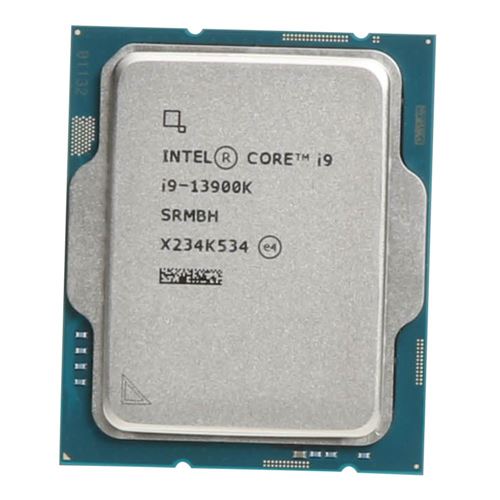
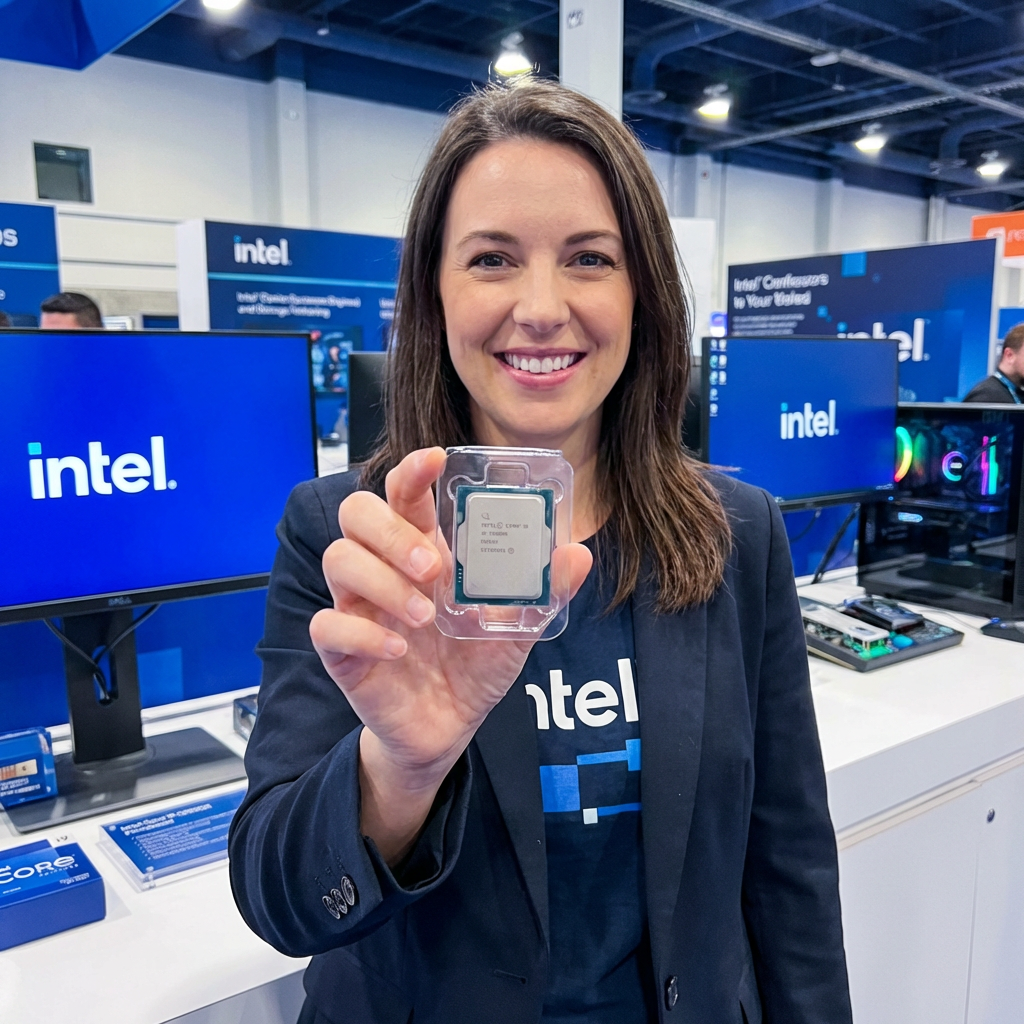
The Intel Core i9-13900K Desktop Processor is a high-end Desktop CPU designed for demanding tasks, including gaming, content creation, and productivity. In this review, we will evaluate its overall performance, including performance benchmarks, gaming benchmarks, compression/decompression benchmarks, hardware specifications, and compatible motherboards because there is many for a wide range of budgets.
NOTE: Intel 13900k 14% off as of this writing
Performance Benchmarks: The Intel Core i9-13900K delivers impressive performance across various benchmarks. Its 16 cores and 32 threads, coupled with a base clock speed of 3.5 GHz and a maximum turbo frequency of 5.8 GHz, make it a powerhouse for multi-threaded tasks. It outperforms its predecessors and competes favorably with its main rivals. We found slightly overclocked, 40,500(ish) points in Cinebench R23.
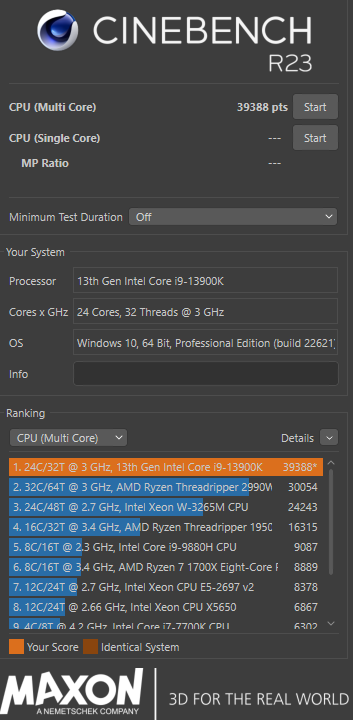
However, if you want real world performance, like what can it do stock, with your mild boosts turned on, things like XMP, multicore enhancements and a general workload. My normal running apps, windows 11 installed, signal, discord, chrome with at least 50 tabs in groups, and all running and then run Cinebench R23, I easily hit 39,288 points. That’s not bad at all.
Overclocking: In the realm of enthusiast overlocking, the 13900k has some overhead. We found it rather easy to get two performance cores to do 6Ghz without issue, you can just turn to cores to 6.0 without adjusting anything else and it’ll do it just fine. If you want to do more of an “all core” overclock, you will absolutely need a high performance water block with a decent radiator and higher flow pump. The 13900k can easy push 350 watts in all core loads overclocked and you’ll need a way to handle the heat. Heat will be your limiting factor long before voltage will be. But considering this CPU has double the performance of a 4.8Ghz all core overclocked 10980XE, (which would be more in the 550-600Watt range) it’s understandable and amazing we have such performance from a desktop platform.
CPU Cooling Considerations: You absolutely CAN run this processer with a Noctua NH-D15. It’s gonna game well, etc. But in full on multicore benchmarks, you will thermal throttle. Benchmarking aside, the cpu ran just fine without throttling with a Noctua NH-D15. We ran the silver, but it also has a black version.
If you really wanted to use the Noctua NH-D15, I would recommend if your ears can take it, some 3000RPM Noctua IPPC fans. Very high quality and push insane amounts of air and is about the only way to get every bit of performance out of a NH-D15. Just mount 3 of them to it and let it rip.
A step up from the NH-D15, would be the Corsair iCUE H150i Elite CAPELLIX XT liquid CPU Cooler. It is a high performance cpu water block with a 360mm radiator. This will be just fine for general gaming/streaming with perhaps just multicore enhancements turned on. You could get 1-3 cores to run at 6.0Ghz. But do not expect to do higher all core overclocks on this AIO. You will need the CORSAIR Hydro X Series XC8 RGB PRO CPU Water Block – JayzTwoCents Edition as it has a bare copper block for maximum heat dissipation. EK and others might have something that’ll do the job, but I’m using the JayzTwoCents version of the XC8 and it’s done well.
Gaming Benchmarks: In gaming, the Core i9-13900K excels, providing a smooth and immersive gaming experience. It offers excellent single-threaded performance and can handle the most demanding games without breaking a sweat. When paired with a high-end GPU, it consistently delivers high frame rates and reduces bottlenecks. My game of choice is DCS World. Maybe one of the most demanding simulators out there and with my 3090 I’m easily in the 130-140FPS range at 2k resolution.
Compression/Decompression Benchmarks: Thanks to its multi-threaded capabilities, the Core i9-13900K excels in compression and decompression tasks. It can handle large files efficiently, significantly reducing processing times compared to previous generations. Whether you’re dealing with multimedia content or large archives, this CPU ensures a snappy and responsive experience. I personally deal with large 7zip files with minecraft world backups for servers we run. With more than double the performance of my old 10980XE they take even less than half the time they used to take.
Hardware Specifications:
- 16 cores and 32 threads
- Base clock speed: 3.5 GHz
- Maximum turbo frequency: 5.8 GHz
- TDP (Thermal Design Power): 125W
- L3 Cache: 24.75MB
- DDR5 memory support
- DDR4 memory support (requires motherboard designed to use DDR4)
- PCIe 5.0 support
- PCIe 4.0 support
Chipset Compatibility: The Intel Core i9-13900K Desktop Processor utilizes the Z790 chipset, which offers robust features and extensive connectivity options. It provides ample support for high-speed storage, multiple GPUs, and other peripherals.
However when I looked at the full chipset compatibility I was impressed. This gives you a lot of options based on your budget.
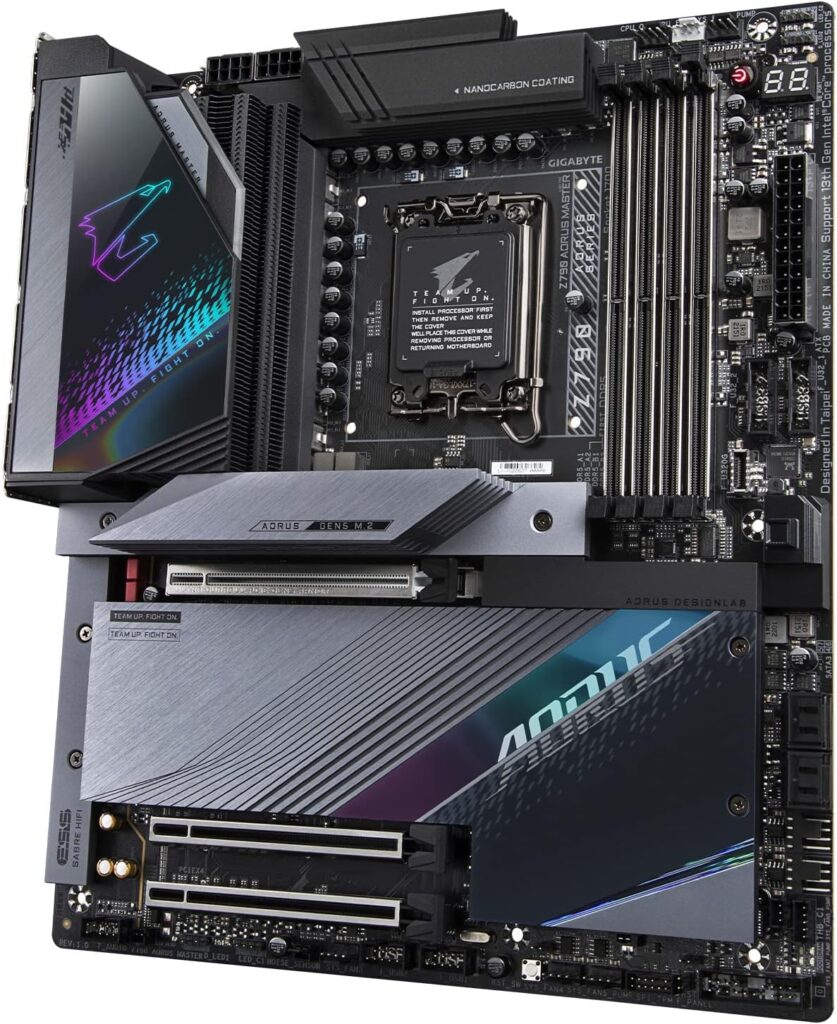
For myself, I wanted 10Gbit networking onboard, PCIe5 m.2 drive slot and I didn’t want to pay $700 for it. Turns out Gigabyte Z790 Aorus Master hit all of my requirements and honestly I challenge you to find a better motherboard for $481 dollars. That’s pretty amazing today.
But just quickly, your main performance chipsets will be the Z790, Z690 and your budget chipsets in the middle. You can see a full list of chipsets for the 13th gen 13900k cpu here.
Top Z790 Motherboards:
- Gigabyte Z790 AORUS Master
- ASUS ROG MAXIMUS Z790 Hero
- MSI MEG Z790 GODLIKE
- Gigabyte Z790 Aorus Xtreme
- ASRock Z790 Taichi
- EVGA Z790 Dark
- EVGA Z790 Classified
Top 5 Z690 Motherboards:
- ASUS ROG MAXIMUS Z690 Hero
- MSI MEG Z690 GODLIKE
- Gigabyte Z690 Aorus Xtreme
- ASRock Z690 Taichi
- EVGA Z690 Classified
Want to run DDR4 memory with the 13900k? The one I’ve used for the wife is the GIGABYTE Z790 AORUS Elite AX DDR4 and it works flawlessly and is just $244.99 as of this writing.

Conclusion: The Intel Core i9-13900K Desktop Processor impresses with its performance, making it a top choice for high-end gaming, content creation, and productivity tasks. It offers excellent multi-threaded performance, remarkable gaming capabilities, and efficient compression/decompression speeds. When paired with a compatible Z790 or Z690 motherboard, this CPU delivers an exceptional computing experience that caters to the most demanding users.
One of the first things you notice about this cpu, is windows 11 feels snappy, crisp. The split big.LITTLE cores I believe really help with this, as the system uses the e-cores and whatever you are generally doing is using the performance cores.
Get one on amazon here or go for the 14900k at an even better price now here!

As a disclaimer, this is not a paid review. Personally, I haven’t received any payment, nor has Bane’s Media Group, for promoting Intel products. With over 25 years of experience, I take pleasure in highlighting products to tech users that I genuinely believe are of exceptional quality. While we do earn a small commission through our Amazon affiliate links, I want to express my sincere gratitude if you choose to make a purchase using our links, as it greatly contributes to supporting our website.